Connect and run the Field & Object Audit.
Runs read-only checks through your active Salesforce browser session. Free on-screen summary first. The full $99 XLSX workbook is optional and yours to keep.
Drag this button to your browser’s bookmarks bar. Do not click it here — dragging is what saves it.
This creates a browser bookmark only. Nothing is installed in Salesforce, and nothing is downloaded to your computer.
Bookmarks bar hidden? Windows: Ctrl+Shift+B · Mac: Cmd+Shift+B
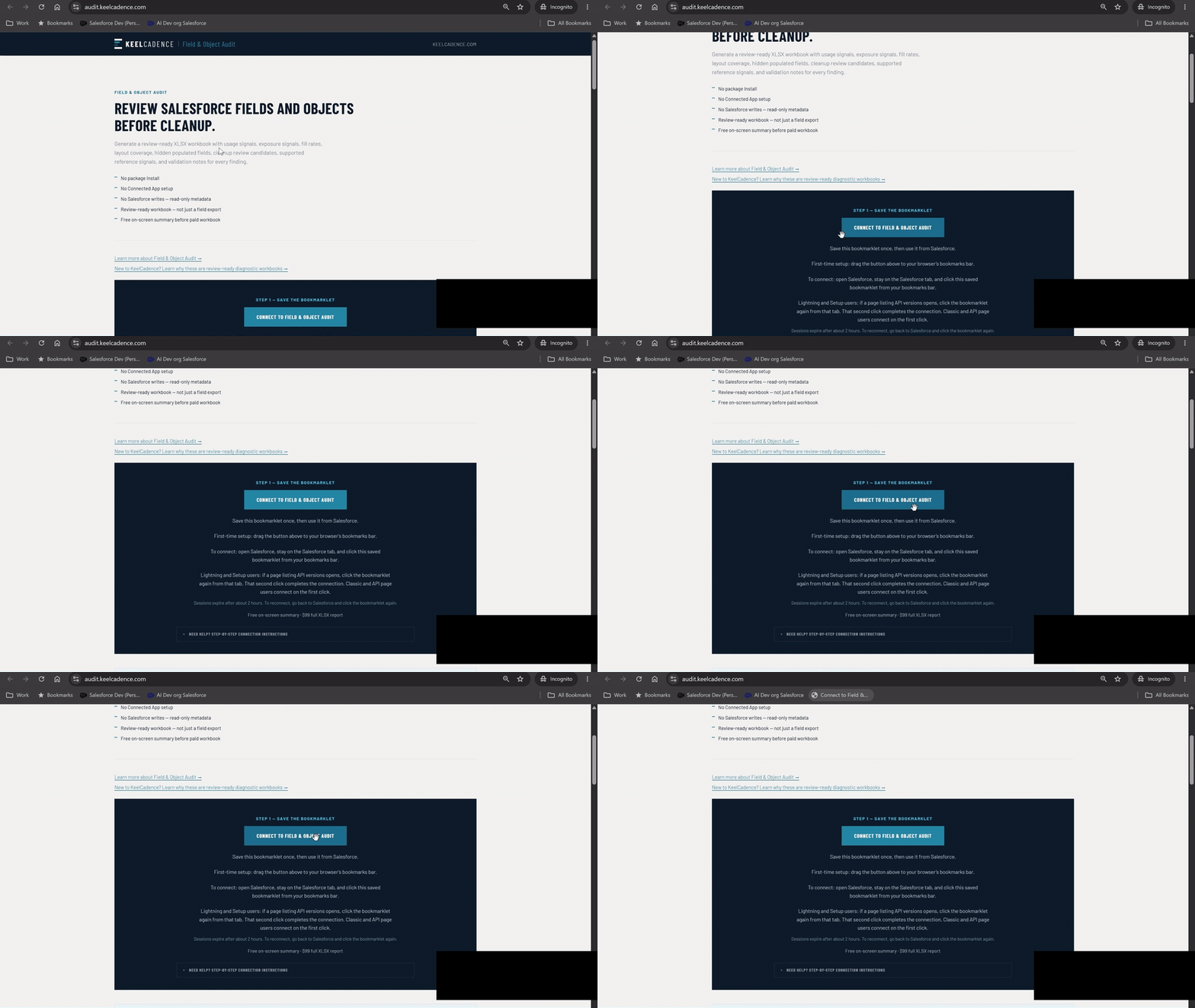
- Open Salesforce in another tab.
- Click the saved bookmarklet from Salesforce.
- If Salesforce opens the XML/API page, stay on that Salesforce page. Then click the same saved KeelCadence bookmarklet in your browser’s bookmarks bar again. Do not click anything on the XML/API page itself.
Sessions expire after about 2 hours. To reconnect, go back to Salesforce and click the bookmarklet again.
On a phone or tablet? Bookmarklets need a desktop browser. Save this page for your desktop, or view the sample workbook now.
| Summary item | Value |
|---|---|
| Objects audited | 14 |
| Fields analyzed | 412 |
| Fields flagged for review | 138 |
| Exposed but unused | 22 |
| Hidden populated fields | 6 |
Run the audit and review your summary.
After connecting from Salesforce, select the objects you want to review, run the read-only diagnostic, and view your free on-screen summary before deciding whether to download the XLSX workbook.

Need a full walkthrough?
Need the full walkthrough? Watch the 104-second tutorial showing how to add the bookmarklet, connect from Salesforce, run the audit, and review results.
See a sample of what you’ll get.
Fictitious, anonymized demo data. Only the numbers change in your real run.
See a sample of what you’ll get SAMPLE DATA
Below is a fictitious audit run for an example org. The live dashboard and XLSX workbook use this exact layout. Only the numbers change.
SCHEMA FINDINGS IDENTIFIED.
Audited 14 objects and 412 custom fields. 138 fields are unused (33%), above the 20–35% industry typical band. 6 fields contain data that no user can see. 22 fields appear on layouts but are always blank.
Fields with data, invisible to every user
These fields are populated but not on any page layout and not granted to any non-admin profile or permission set.
| Object | Field | % Populated |
|---|---|---|
Account | Legacy_Tax_ID__c | 42% |
Opportunity | Internal_Margin__c | 87% |
Contact | SSN_Last4__c | 31% |
STATUS BAND DISTRIBUTION
| Active ≥50% |
Moderate 10–49% |
Low Usage 1–9% |
Unused 0% |
Unaggregatable formula/encrypted |
|---|---|---|---|---|
| 184 | 61 | 22 | 138 | 7 |
Key findings, risk counts, status band distribution, and high-level results. Available immediately after the audit completes.
Usage signals, exposure signals, object usage, fill rate, layout coverage, cleanup review candidates, supported reference signals, and validation notes across multiple tabs.
And here’s a peek inside the downloadable XLSX workbook:
| P | Category | Object | Field | Effort | Risk | Owner | Finding |
|---|---|---|---|---|---|---|---|
| Cleanup Review Candidate (38) | |||||||
| 1 | Cleanup Review Candidate | Account | Old_Region__c | 15 min | Verify first | Salesforce Admin | 0% fill rate, not on any layout, no profile/permset grants. Verify Flow, Apex, and integration references before retiring. |
| 1 | Cleanup Review Candidate | Opportunity | Legacy_Stage_v2__c | 15 min | Verify first | Salesforce Admin | 0% fill rate, hidden, matches legacy naming pattern. Validate automation references before action. |
| Hidden but Populated (6) | |||||||
| 2 | Hidden but Populated | Account | Legacy_Tax_ID__c | 1 hour | High risk | Architect + integration owner | 42% populated but hidden. Nobody can see the data. Investigate writer. |
| Exposed but Unused (22) | |||||||
| 3 | Exposed but Unused | Contact | Preferred_Pronoun__c | 30 min | Lower review risk | Salesforce Admin | 0% fill, visible on 4 layouts, granted to 12 profiles. Users see blank field. |
| … | … | … | … | … | … | … | 62 more recommendations in the full report |
Your real workbook builds the moment your audit finishes, with your org’s actual numbers, fields, and review findings.
Preview the workbook before you run. This sample was generated from a demo Salesforce org using a single Case object, so you can review the tabs, findings, cleanup review candidates, and reference signal columns before purchasing.
Paid reports are run against the objects and fields you select.
Not just another field export.
Most org cleanup tools give you a spreadsheet of field names and fill rates. This workbook goes further: every finding includes layout coverage, FLS grant counts, reference signal columns, and a recommended next step, so reviewers have context to ask the right questions, not just a list to act on blindly.
- Fill rate with status band (Active / Moderate / Low Usage / Unused / Unaggregatable)
- Layout reference signals, which fields appear on page layouts
- FLS grant counts, profiles and permission sets with read access
- Hidden populated fields, data written by automations no user can see
- Cleanup review candidates ranked by review confidence
- Reference signal columns with clear “Not checked in this version” labels
- Recommended next step per field, not just a score
- Review Tracker tab, pre-populated action checklist for your team
Exactly what this diagnostic can access, and what it does not check.
What this audit can access
This audit uses your existing Salesforce browser session to run read-only diagnostic checks against your Salesforce metadata and aggregate record counts. It does not install a package, create a Connected App, or store your Salesforce Session ID in the database.
- Reads object and field metadata
- Does not create, update, or delete records
- Reads layout and field-level security configuration
- Does not export individual record values
- Runs aggregate count queries for fill-rate analysis
- Does not store the Salesforce Session ID in the database, logs, or reports
- Session access ends when the Salesforce session expires
- Does not use OAuth refresh tokens or persistent Salesforce credentials
- Does not evaluate Flow, Apex, Validation Rule, or Report references
- Does not make cleanup or deletion decisions automatically
KeelCadence is not a Salesforce data export tool. It reviews metadata, configuration, permission structures, and aggregate counts needed for diagnostic scoring. It does not export customer records, files, attachments, emails, Chatter content, or transactional data. Field usage is calculated from aggregate counts. Individual field values and record-level data are not exported.
For the most complete results, run this audit as a System Administrator or a dedicated audit user with the required metadata visibility.
Cleanup candidates still need validation
This workbook identifies cleanup review candidates based on fill rate, layout coverage, and field-level security. It does not perform full dependency analysis. A field can be 0% populated, off every layout, and have no FLS grants, and still be referenced by a Flow, Apex trigger, Validation Rule, report, or an external integration. Deleting it without checking those sources first can break your org.
- Layout references, checked (real data from Salesforce describe API)
- Field-level security grants, checked (real data from Salesforce describe API)
- Fill rate and record count, checked (aggregate query)
- Flow / Process Builder references, not checked in this version
- Validation Rule references, not checked in this version
- Formula field cross-references, not checked in this version
- Apex class and trigger references, not checked in this version
- Report and Dashboard references, not checked in this version
For every field in the Cleanup Candidates tab, run “Where is this used?” in Salesforce Setup before retiring it. The Reference Signals tab in the workbook lists layout references and reminds you of the sources that were not checked.
Manual connect (advanced)
sid cookie value in DevTools for security. The bookmarklet above is the only reliable way to retrieve it automatically. Use this form only if you already have the Session ID from another source (e.g. a Salesforce API client or your IT team).
Get Your Session ID
The sid cookie value is now masked in most browsers’ DevTools. The most reliable way to get a valid session token is to use the bookmarklet above, which reads it directly from the browser’s cookie store.
If you have access to a Salesforce API client or a tool that exposes the raw sid, paste it below.
Your Instance URL
Copy your Salesforce URL from the address bar, everything up to and including .salesforce.com.
| Production: | https://mycompany.my.salesforce.com |
| Sandbox: | https://mycompany--uat.sandbox.my.salesforce.com |
| Developer / Trial: | https://mycompany.develop.my.salesforce.com |
| Trailhead Playground: | https://myorg.trailblaze.my.salesforce.com |
If you’re on a Trailhead Playground or Developer Edition org, your URL will have .develop or .trailblaze before .my.salesforce.com, include that whole domain.
Paste & Connect
What your account needs
- API Enabled, required to access Salesforce metadata via REST API
- View Setup and Configuration, to read field and object definitions
- Read access on the objects you want to audit
- Works with Professional, Enterprise, Unlimited, and Developer editions
System Administrators can run full audits. Other profiles may see partial results depending on their permissions.
Run the audit free. Download the full report only if it’s useful.
Save the Connect button, open your org, and click the bookmark from the Salesforce tab. The free summary runs in about a minute.
Free on-screen summary · $99 full XLSX report
Back to the steps Learn more about this workbook at keelcadence.com